Real-Time Stream Routing for Voice AI, LLM Tokens and Webhooks
Voice agents and LLM apps break on plumbing: codec mismatches, SSE fan-out, webhook signatures, per-stage latency. A practical guide to routing real-time streams.
By the Mecverse team · 7 Oct 2026 · 6 min read
Key takeaways
- Telephony, speech-to-text and text-to-speech providers often disagree on audio encoding and sample rate, so a voice pipeline needs a transcoding step you own and test.
- Treat an LLM token stream as a source that can feed several subscribers (UI, mobile, logs), not as a single HTTP response.
- Verify webhook signatures against the raw body, make handlers idempotent, then normalize events into one internal shape.
- Measure latency per session and per stage. Averages hide the slow turns that make voice agents feel broken.
- Decide failover thresholds per provider up front, and make the switch a config change rather than a code change.
The plumbing problem behind every real-time AI feature
The demo works on a laptop: microphone in, transcript out, model reply, synthesized voice back. Then you connect a real phone line and the audio is garbled. You add a second browser tab and only one receives the streamed reply. A payment webhook arrives twice and the order ships twice.
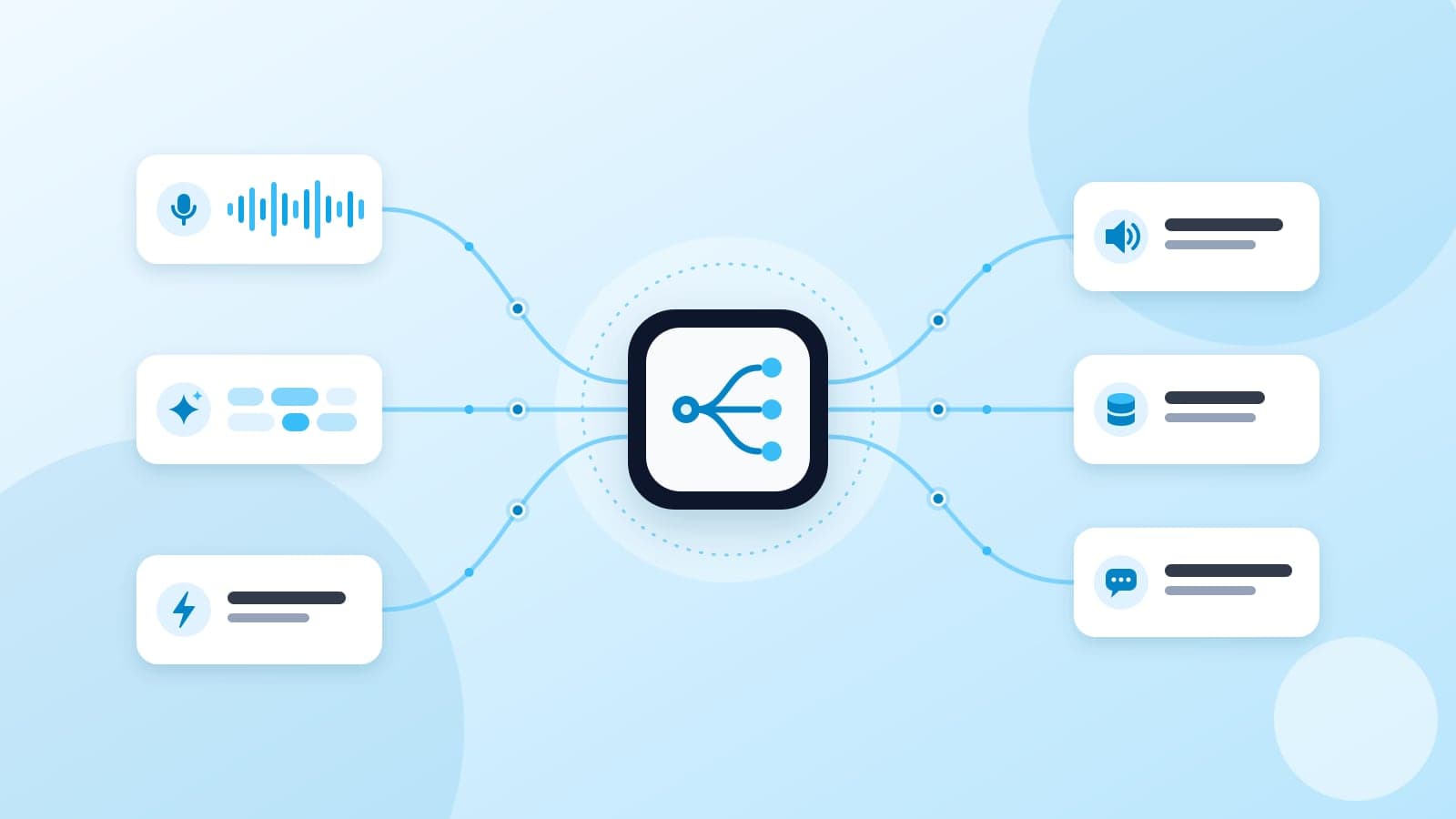
None of that is model quality. It is plumbing, and it shows up in three recurring shapes:
- Voice streams that need format conversion between providers that each expect something different.
- Token streams from an LLM that arrive over one protocol and need to reach several clients over another.
- Webhook events from many providers, each with its own payload shape and signature scheme.
Each is solvable in an afternoon for one provider pair. The cost comes from the combinations: every new provider multiplies the adapters, reconnect paths and parsers you maintain. This post covers how to handle each shape well, then where a routing layer helps.
Voice streams: codecs, sample rates and turn-taking
Telephony audio is usually narrowband. Twilio Media Streams, for example, delivers 8 kHz mu-law audio as base64 inside JSON messages over a WebSocket. Your speech-to-text model may be configured for 16-bit linear PCM at 16 kHz, and your text-to-speech provider may return yet another format. Somewhere in the middle, audio has to be decoded, resampled and re-encoded in both directions.
| Concern | What goes wrong | What to do |
|---|---|---|
| Encoding mismatch | Static or silence when mu-law bytes are read as PCM | Declare the format at every hop and convert explicitly |
| Sample rate mismatch | Chipmunk or slowed audio, poor transcription | Resample at one known point in the pipeline |
| Frame size | Jitter, gaps, or added latency from over-buffering | Use small fixed frames and a bounded buffer |
| Provider disconnects | Call goes silent mid-sentence | Reconnect with backoff and resume the session state |
Turn-taking is part of the plumbing
Voice activity detection decides when the caller has stopped speaking, which is what triggers the final transcript and the model call. Set the silence threshold too short and the agent interrupts; too long and it feels slow. You also need barge-in: when the caller starts talking over the agent, flush the queued speech audio immediately instead of letting it finish.
Token streams: one source, many subscribers
Most LLM APIs stream tokens over server-sent events. Your product may need those tokens in a web client over WebSocket, in a mobile app, in a log or analytics sink, and sometimes in a second user's view of the same conversation.
The common first version proxies the SSE response straight through one HTTP request. That works until a second consumer appears. A sturdier shape:
- Read the provider stream once, server side, keyed by a session ID.
- Publish each chunk to subscribers of that session, whatever their transport.
- Buffer recent chunks so a client that reconnects can catch up instead of starting over.
- Handle slow consumers explicitly: drop, buffer up to a limit, or disconnect, but decide which.
- Emit a clear end or error event so every subscriber knows the stream finished.
Webhooks: verify, deduplicate, normalize
Webhooks look simple: a provider POSTs JSON to your endpoint. The failure modes are well known, and each has a standard defence.
Verify the signature on the raw body
Most providers sign the request body with a shared secret. Verify against the exact bytes received, before any JSON parsing, and compare in constant time. GitHub, for example, sends an HMAC-SHA256 of the body in the X-Hub-Signature-256 header:
import { createHmac, timingSafeEqual } from "node:crypto";

export function verifyGitHubSignature(rawBody: Buffer, header: string | undefined, secret: string): boolean {
  if (!header) return false;
  const expected = "sha256=" + createHmac("sha256", secret).update(rawBody).digest("hex");
  const a = Buffer.from(expected);
  const b = Buffer.from(header);
  return a.length === b.length && timingSafeEqual(a, b);
}
Stripe uses a different header and signs a timestamp together with the payload, so every provider needs its own verifier. Check each provider's documentation rather than reusing one function.
Assume every event can arrive twice
Providers retry on timeouts, so duplicates are normal. Store the provider's event ID and skip events you have already processed. Acknowledge quickly and do slow work asynchronously, or the provider will time out and retry anyway.
Normalize once, fan out after
Convert each provider's payload into one internal event shape at the edge. Downstream services then subscribe to normalized events and never parse a provider payload themselves. Adding a provider means writing one adapter, not touching every consumer.
Observe each session, and fail over on purpose
Standard request metrics do not describe a voice call well. A call is one long-lived session made of many turns, and each turn passes through several providers. What you want to know is which stage made a particular turn slow.
For a voice turn, timestamp at least these points per session:
- Audio received, and end of speech detected.
- Final transcript ready.
- First LLM token received.
- First synthesized audio frame ready, and audio sent to the caller.
The gaps between those stamps tell you whether to tune voice activity detection, switch a model or change a speech provider. Look at the slow tail per session, not the average across all calls.
Failover follows from the same data. Set a threshold per provider, such as a latency ceiling or an error rate, and a backup to use when it is exceeded. Make the switch a configuration change, and test it before you need it.
Where HZRelay fits
HZRelay is a routing layer we are building at Mecverse for exactly these three stream types. Voice, token and webhook streams are normalized to one session model behind one SDK, so codec conversion, reconnects and provider wiring sit in HZRelay rather than in your application.
- Voice routing: transcoding and reconnects across telephony, speech-to-text and text-to-speech providers.
- Token fan-out: one LLM stream routed to web, mobile and log sinks at the same time.
- Webhook normalization: signature verification, payload normalization and fan-out across sources such as Stripe, GitHub and Twilio.
- Per-session observability and failover: stage-by-stage traces per session, typed stream events, and automatic routing to a backup provider when the primary exceeds its thresholds.
Providers shown in the adapter registry include Twilio, Plivo, WebRTC and raw WebSocket on the inbound side, and Deepgram, ElevenLabs, Cartesia, OpenAI and Anthropic on the outbound side. Swapping one for another is a config change. The quickstart in the documentation overview looks like this:
import { createSession } from '@hzrelay/sdk'

const session = await createSession({
  inbound:  { provider: 'twilio' },
  outbound: { stt: 'deepgram', tts: 'elevenlabs', llm: 'openai' },
})
There are two ways to use it: Depth 1 is infrastructure only, wired into your own agent loop, and Depth 2 is a managed agent loop. HZRelay is in private preview. Full docs are at hzrelay.mecverse.com, and access credentials are arranged with our team.
Build it yourself or use a routing layer: a decision guide
A routing layer is not always the right call. Use this to decide.
| Your situation | Reasonable choice |
|---|---|
| One provider per stage, no plans to change | Build it directly; keep the format conversion in one module |
| Several providers, or you expect to swap them | Put an abstraction or routing layer between your app and the providers |
| Voice plus webhooks plus token streams in one product | Use one session model across all three, built or bought |
| Strict data-handling requirements | Check where audio and payloads transit before adding any intermediary |
Whichever route you take, these are worth doing this week:
- Write down the audio format at every hop of your voice pipeline.
- Add per-stage timestamps to every voice turn, keyed by session ID.
- Make every webhook handler verify the raw-body signature and skip duplicate event IDs.
- Move LLM stream fan-out server side with a bounded queue per subscriber.
- Pick a backup provider for your most fragile stage and test the switch.
Frequently asked questions
Route your real-time streams through HZRelay
Tell us which voice, LLM and webhook providers you run, and we will walk through how HZRelay would fit your pipeline.
Keep reading

Products
Best internal helpdesk software in 2027
Internal helpdesk software fails when it is a portal nobody opens. The request was already typed in Slack. The error was already in Sentry. The issue was already filed in GitHub by
8 Oct 2026 · 8 min read
Products
Internal Support Triage: Stop Losing Issues in Slack and Sentry
Internal requests scatter across Slack DMs, Sentry alerts and GitHub issues. How to build one intake queue, triage and dedupe well, and route work to an owner.
7 Oct 2026 · 6 min read

Products
Best internal helpdesk software in 2026
Internal helpdesk software fails when it is a portal nobody opens. The request was already typed in Slack. The error was already in Sentry. The issue was already filed in GitHub by
28 Jan 2026 · 8 min read