InterviewRoom
Speak with an AI interviewer, answer its follow-up questions, and leave with a transcript and a score. A real interview room — not a quiz, not a chatbot.
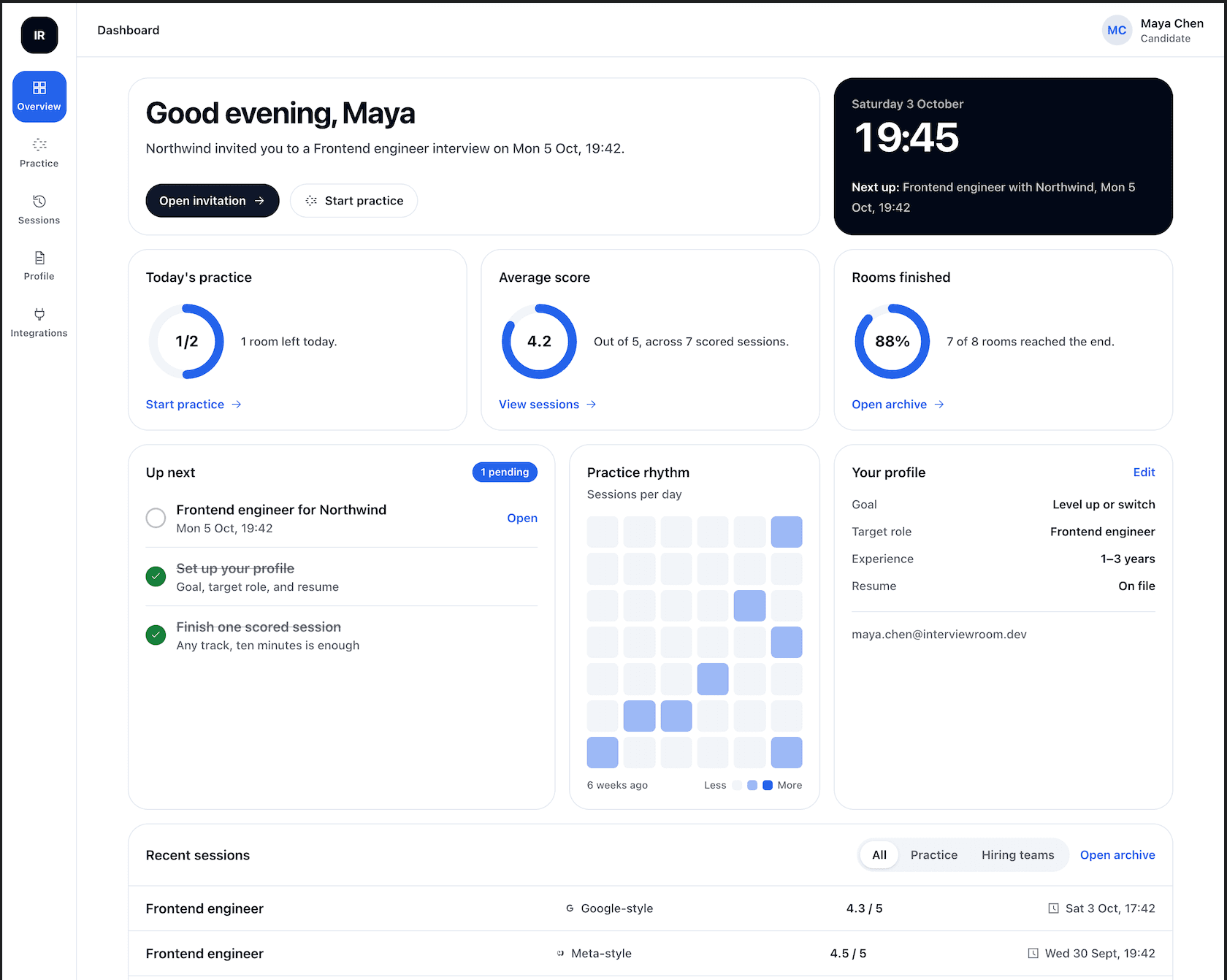
Your Interview Room at a Glance
Keep practice sessions, invitations, scores, and interview progress in one clear dashboard.
How the Room Works
The interviewer listens, asks follow-ups based on what you said, and scores the conversation at the end. Calm and serious enough for a student rehearsing and for a company reviewing a candidate.
A spoken conversation with an AI interviewer that asks follow-up questions instead of reading from a fixed list.
The question appears on screen as it is spoken, and your answer appears as you talk.
Practice against loops inspired by public interview processes at well-known companies. Not affiliated with any of them.
Attach both so the questions match the role you are actually going for.
Add a short coding problem to the session for software engineering practice.
The session keeps the transcript and the score. Audio is never stored.
Built for Two People
Candidates and students
- 1
Set up the room
Pick a track — campus, software engineering, or a specific role — and a seniority level. Free practice sessions run 10 minutes; interviews a hiring team sends can run up to 25.
- 2
Add your context
Aim the room at a company-style loop, attach a resume and a job description, and add one short coding problem.
- 3
Leave with a score
Get a transcript, a score, and feedback. Ending early still produces both.
Hiring teams
- 1
Schedule
Add the candidate's email, the role, and a time, then send an invite link.
- 2
Disclose
Before starting, the candidate is told the company will see the score and the full transcript.
- 3
Review
After the interview, see status, score, and the full conversation.
The free plan includes two practice rooms a day.
Company-Style Practice Loops
Inspired by public interview loops. InterviewRoom is not affiliated with or endorsed by these companies.